Mission Control for Customer-Reported Issues
When a customer reports an issue, your team scrambles — pulling logs, checking dashboards, pinging Slack channels, trying to reproduce the problem. Hours pass. The customer waits. Engineers context-switch. And half the time, the root cause is still a guess — whether it's a person investigating or an AI agent hallucinating one.
Sailfish replaces that chaos with calm. You already know which customers hit the issue — even the ones who never reported it. You already know the exact moment it happened, the full execution context, and the chain of events that led to it. No searching required. When the issue surfaces again, Sailfish activates debugger-level capture and gives your team — and your AI tools — the clarity to reconstruct exactly what went wrong. From first report to final resolution, Sailfish is your mission control.
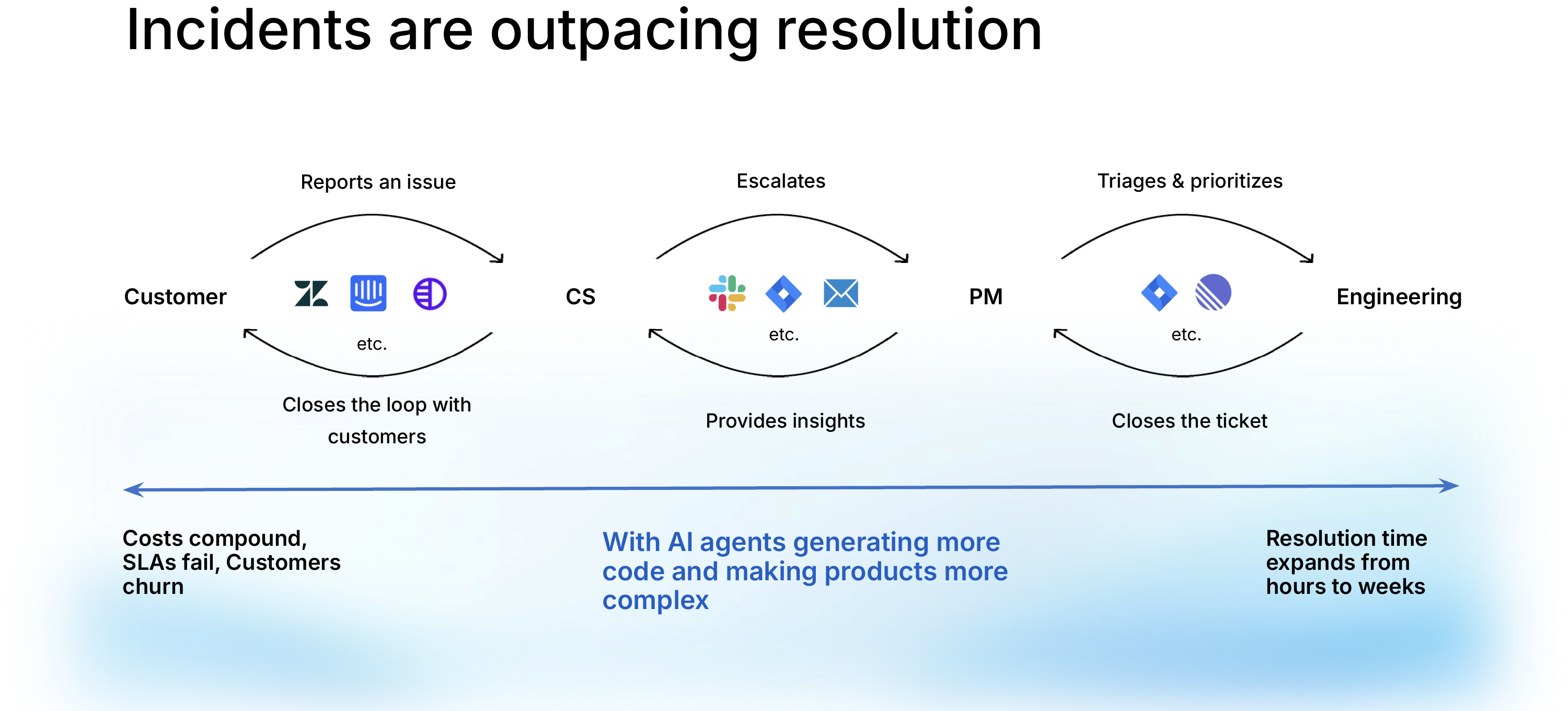
Coordinated Incident Response
Sailfish connects customer reports to the exact technical context needed to resolve them. No more bouncing between support tickets, log aggregators, and APM dashboards — everything is in one place, linked to the customer who reported it.
Impact Measurement
Understand who is affected and how severely. Sailfish quantifies the blast radius of every issue so you can prioritize based on real customer impact, not gut feeling.
Customer Identification
Automatically identify which customers are hitting a given issue — even before they report it. Sailfish links sessions, errors, and degraded experiences back to specific users and accounts.
AI-Activated Debugger
Sailfish captures the full execution context — frontend interactions, backend traces, network requests, and exceptions — then uses AI to surface the root cause. Engineers get answers, not more logs to read.
Proactive Outreach
Don't wait for customers to complain. When Sailfish detects an issue affecting specific users, it gives your team the context to reach out first — turning a negative experience into a trust-building moment.
Get Started
Explore the docs to set up Sailfish for your team:
- Quick Start — See how Sailfish works end-to-end
- Connect Your Stack — Integrate your CS tools, engineering systems, and code
- Understand Issues — Learn how Sailfish detects and measures impact
- Automate Workflows — Set up automated monitoring and alerts